 Asia Christian Authors
Writing tips
Three Book File Formats Every Self-Published Author Should Understand

Sam Choo17 Oct 2026
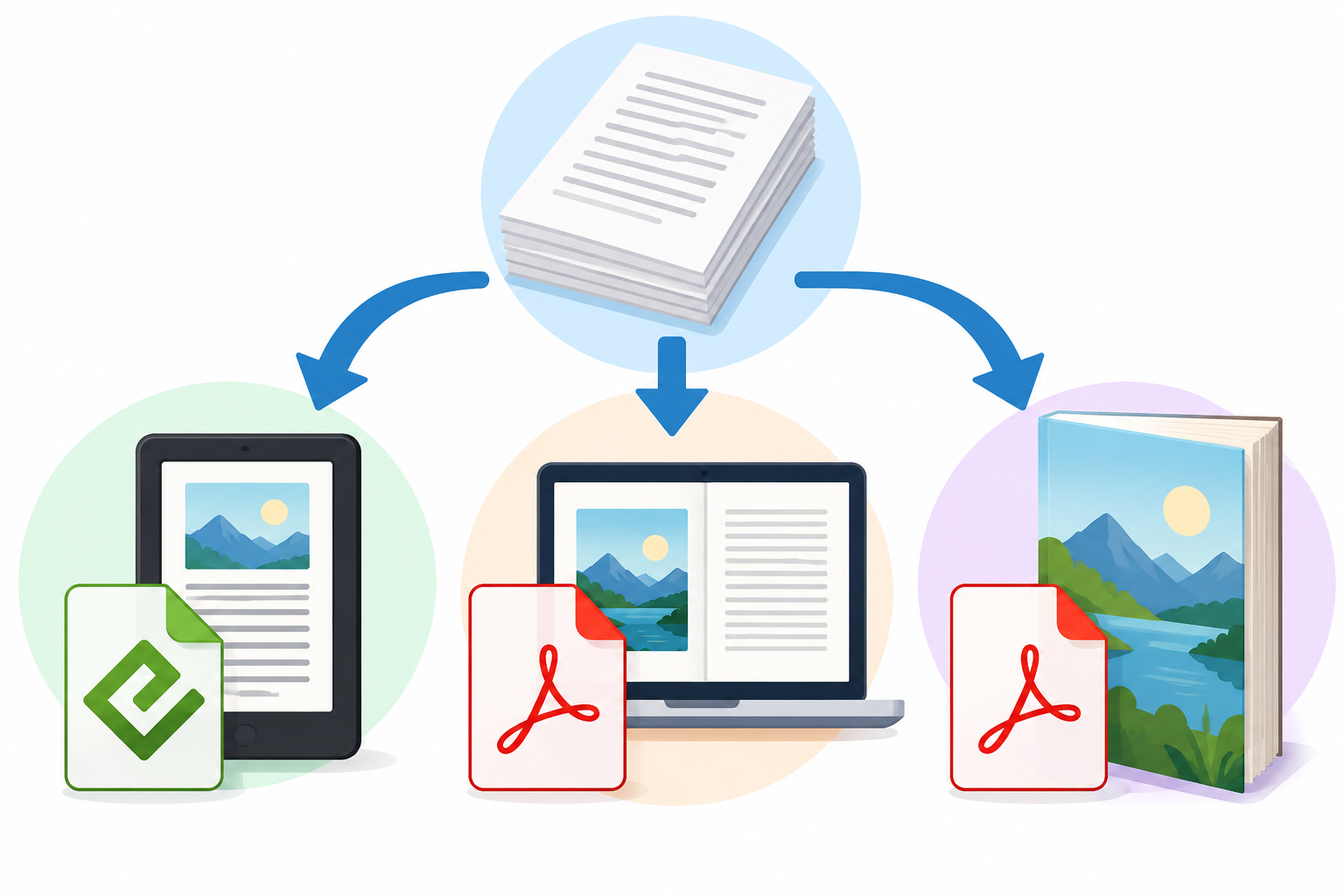
After you have finished writing, editing and formatting your manuscript, you need to prepare the correct file format for publishing.
There are three common types of book files you should know about.
- EPUB: For Kindle and Other Ebook Stores
EPUB is one of the most widely used ebook formats. It is accepted by Amazon KDP, Google Play Books, Apple Books, Kobo and many other ebook retailers.
For ordinary text-based books, EPUB uses a feature called reflowable text. This means the text automatically adjusts to fit the reader's screen, whether they are using a smartphone, tablet or ebook reader.
Readers can usually change the font type, font size and line spacing to suit their preferences.
Unlike a printed book, a reflowable EPUB does not have fixed page numbers, running headers or footers. The number of pages displayed can change depending on the device and reading settings.
You can preview your EPUB using Amazon's free Kindle Previewer software before uploading it to KDP.
For Amazon KDP, there is no need to insert the cover into your EPUB manuscript because Amazon automatically adds the cover uploaded separately. However, Google Play Books requires the front cover image to be included in the EPUB file.
- PDF: For Ebooks With a Fixed Layout
PDF is another popular ebook format, especially when you want the book to look exactly as you designed it.
Unlike reflowable EPUB, a PDF preserves the position of the text, images, margins and page numbers.
This makes it suitable for workbooks, manuals, illustrated books and other publications where the page layout matters.
When preparing a PDF ebook for reading on a screen, I usually use equal left and right margins. I also include the front cover as the first page.
The disadvantage is that readers generally cannot adjust the font size without zooming in, which can make a PDF uncomfortable to read on a small smartphone.
Google Play Books accepts both PDF and EPUB. In fact, Google recommends uploading both formats when possible, so readers have more options.
PDF is also useful when you sell ebooks directly through your own website or platforms such as Payhip or Gumroad.
- Print-Ready PDF: For Paperback Books
A paperback is a physical book with a soft cover.
Although its interior is commonly supplied as a PDF, the formatting requirements are different from those of a screen-reading PDF ebook.
The most important difference is the margins.
In a paperback, the inside margin, also called the gutter-side margin, needs sufficient space for binding. This prevents text from disappearing too close to the spine.
The inside and outside margins alternate on facing pages.
In a conventional left-to-right paperback, odd-numbered pages appear on the right, while even-numbered pages appear on the left.
Page numbers, running headers, chapter openings and blank pages also need to be handled carefully.
Another important consideration is the trim size, which is the final physical size of your book, such as 6 x 9 inches.
For Amazon KDP paperback publishing, I recommend submitting the interior as a print-ready PDF.
Do not include the book cover in the interior PDF. The full paperback cover, consisting of the front cover, spine and back cover, is prepared and uploaded separately.
My Advice to New Authors
If you intend to publish your book in both ebook and paperback editions, prepare separate files for each format.
For a typical nonfiction book, I recommend:
EPUB for ebook stores such as Amazon Kindle, Google Play Books and Kobo. Screen-friendly PDF for direct sales on your website Print-ready PDF for paperback publishing. One final tip: Always inspect your finished files before publishing. Formatting errors are much easier to correct before readers discover them.
A good book deserves good formatting. It makes reading more comfortable and gives your work a professional appearance.
Did this help you? Sign in to say “This helped me”.
Read their book

Write Your Testimony
How to Tell the Story of What God Has Done in Your Life with Honesty, Clarity and Hope
by sam choo · Singapore
Writing and publishing
You have a testimony. But how do you turn what God has done in your life into a story worth reading? Write Your Testimony is a practical guide for ordinary Christians who want to write and share their personal stories of faith with honesty, clarity and hope. You do not need a dramatic conversion, miraculous healing or extraordinary answer to prayer. Your testimony may be about forgiveness, grief, doubt, provision, a changed relationship, spiritual growth, an unanswered prayer or a quiet moment when you began to see God differently. In this book, Sam Choo shows you how to find the story inside your experience, structure it around a clear turning point, write with emotion without exaggerating, use Scripture naturally, protect the privacy of others and explain where you see God without claiming more than you know. You will also learn how to end with hope without promising that God will give everyone the same outcome. Practical worksheets, 30 testimony prompts, an editing checklist and ready-to-use templates will help you turn your experience into a social media post, church testimony, article, video, booklet or longer written story. You do not need to be a pastor, theologian or professional writer. You simply need a story worth telling and the willingness to tell it truthfully. Your story may be exactly what someone else needs to hear. This ebook contains 18,935 words and 141 pages.
Read more